


I usually approach AI chat apps with a simple question: will I still open this after the first week of curiosity? AI Chat - Personal Assistants makes a good first impression because it brings conversation, personal assistant-style help, text-to-image creation, and AI photo generation into one tools app. That combination is immediately appealing on an Android phone, especially when I want to move from an idea to a written draft or an image without switching between several apps.
After spending time with it, my opinion is mixed in a useful way. The app is easy to understand and has enough variety to make the first sessions enjoyable, but its long-term value depends heavily on whether you have repeatable tasks for it. If you only want to experiment with AI, the novelty can fade quickly. If you can turn it into a regular writing, planning, or visual-idea companion, it has a better chance of earning a permanent place on your phone.
What the first week feels like
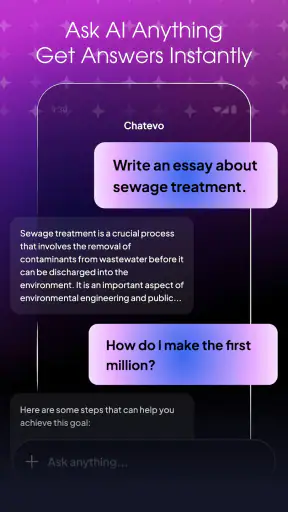
The strongest part of the first week is the feeling that several AI tools are gathered in one place. I can start with a question, ask for a rewrite, develop an idea through follow-up messages, and then try turning that idea into an image. That flow is more convenient than treating a chat service, an image generator, and a photo-editing tool as completely separate destinations.
The chat side is most useful when I give it a clear job rather than simply asking it to “help.” For example, I get more practical results when I explain the audience, tone, length, and desired format before requesting a product description or a weekend plan. This is not unique to AI Chat, but the app rewards that habit quickly. Vague prompts tend to produce broad answers, while a small amount of direction makes the conversation feel much more personal.
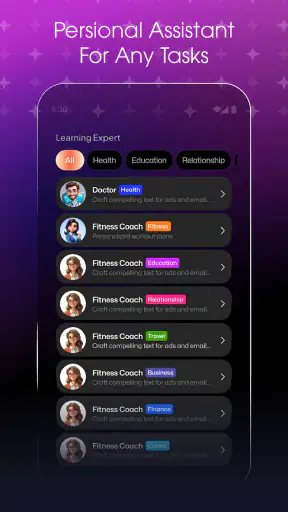
I also found the personal assistant idea more valuable for ongoing tasks than for one-off questions. A single answer may be ordinary, but a sequence of related requests can become a workable process: brainstorm several options, select one, ask for a shorter version, then turn the final idea into a checklist. That is where the app starts to feel less like a novelty and more like a lightweight helper.
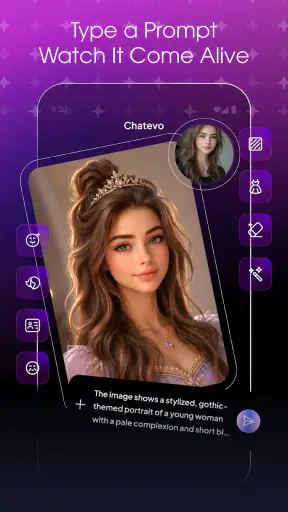
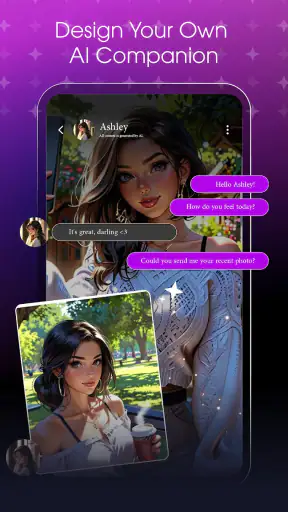
The visual tools add another reason to return during the opening days. Text-to-image generation is useful when I need to explore a mood, color direction, scene, or rough concept before committing to a finished design. The AI photo generator is better suited to playful experimentation and image ideas than to replacing a professional editing workflow. I would treat the results as starting points, references, or social-content material rather than assuming every output is ready for serious publication.
One practical tip is to separate exploration from final selection. I get better use from the image features when I first generate several distinct concepts instead of endlessly adjusting one vague request. I describe the subject, setting, lighting, composition, and intended feeling, then compare the results. This makes the visual side less random and helps me decide whether the app is genuinely saving time.
The app is free to install, which lowers the barrier to trying it. However, in-app purchases range from $0.99 to $89.99 per item, so I would not begin with the assumption that every experiment will remain cost-free. The sensible approach is to explore the available experience first, understand where paid use may enter your routine, and only spend money if the app is solving a recurring problem rather than satisfying a short burst of curiosity.
Who gets the most from the opening experience
I think it suits students, casual creators, small business owners, and anyone who often needs a first draft. It can help turn scattered thoughts into an outline, suggest alternative wording, produce a rough content concept, or provide visual inspiration. Someone preparing a presentation, planning a personal project, or trying to make a social post can get useful momentum without learning a complicated creative suite.
It is also approachable for people who are new to AI tools. The short description is simply “AI Chat,” and that simplicity reflects the main entry point: open a conversation and describe what you need. You do not have to begin with a specialized workflow. I can start with a normal question, then gradually learn which kinds of prompts produce answers I actually want.
Still, I would not recommend it as a replacement for a dedicated professional tool during the first week. A specialist writing application may offer stronger document control, while a dedicated image editor may provide more predictable adjustments. AI Chat is most convincing as a flexible generalist, not as the deepest option in every individual category.
What remains useful after the novelty fades
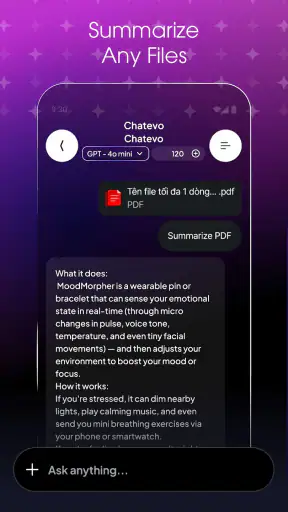
The month-to-month test is different from the first-week test. Initial excitement comes from trying every mode; lasting value comes from repeating a small number of useful routines. For me, the most sustainable routine is using the chat assistant as a preparation layer. I can ask it to organize a messy idea, identify missing points, create a draft structure, and challenge an assumption before I do the final work myself.
That distinction matters. I would not hand over important decisions or publish every generated answer without checking it. The app can accelerate the blank-page stage, but it does not remove the need for judgment. I still need to verify factual claims, adjust the tone, remove repetition, and make sure an image or text actually fits its purpose.
A good recurring workflow is to keep one conversation focused on one project. Instead of mixing travel planning, marketing copy, personal notes, and image prompts in the same thread, I get clearer results when the context stays narrow. This is a small organizational habit, but it reduces the chance of receiving an answer shaped by irrelevant earlier messages.
Another useful routine is asking for alternatives rather than accepting the first answer. I might request three approaches with different levels of formality, or ask for a concise version followed by a more detailed one. The benefit is not just variety; comparing versions helps me notice what is missing. In practice, the app becomes more valuable when I use it as a thinking partner instead of a one-button answer machine.
The visual features can also have recurring value for people who work through ideas visually. A home decorator could explore broad room moods, a hobby creator could test character concepts, and a small seller could brainstorm seasonal photo directions. These are not substitutes for accurate product photography or a controlled brand system, but they can make early ideation faster and less intimidating.
There is a trade-off here: convenience versus consistency. A general AI app can help with many unrelated tasks, but a dedicated service may produce more predictable results for one narrow job. If your monthly need is only polished photo retouching, a traditional editor may be the better choice. If your needs change from writing to planning to visual brainstorming, the breadth of this app becomes more attractive.
How I would build a repeatable habit
I would begin with two or three specific uses rather than trying to make the app responsible for everything. For example, I might use it for weekly brainstorming, rewriting rough notes, and creating visual references. I would then save a few prompt patterns in my own notes, such as a structure that includes the audience, objective, constraints, and preferred tone. That makes each session quicker and gives the assistant better instructions.
For image work, I would keep a short description template covering the main subject, environment, visual style, framing, and exclusions. The point is not to write elaborate prompts every time. It is to avoid starting from an empty request and then wondering why the result feels unfocused. This workflow is one of the less obvious ways to get more value from a broad AI app: the quality of the habit matters as much as the novelty of the feature.
I would also review results before saving or sharing them. AI-generated text may sound confident while still needing correction, and generated images may contain details that do not fit the intended use. Treating the output as a draft protects the quality of the final result and keeps expectations realistic.
The maintenance burden is small, but real
AI Chat is not a set-and-forget utility. Its usefulness depends on how thoughtfully I phrase requests, how carefully I review answers, and whether I keep my conversations organized. That maintenance is not technical in the usual sense; it is a mental habit. I need to provide context, correct misunderstandings, and avoid assuming that a fluent response is automatically a reliable one.
The current version is 1.1.0, and the app comes from Invoker Apps. I would keep an eye on updates because AI tools can change in feel as their underlying features evolve. Even without assuming a particular future improvement, regular users should expect to adjust their habits when an app changes how conversations, image creation, or paid usage are presented.
The Android requirement is modest: it works from Android 7.0 onward. That makes it accessible to people using older compatible phones, although the experience of generating images or handling longer conversations may still depend on the device and connection in everyday use. I would be more comfortable using it on a reasonably responsive phone, especially if I plan to move frequently between chat and visual creation.
Privacy is another reason to be deliberate about maintenance, even when an app feels casual. I would avoid entering confidential business material, private identifiers, sensitive health details, or anything I would not want copied into an online service. This is a sensible boundary for an AI assistant, and it is especially important when the app is being used for personal planning or work-related drafts.
The age rating is Everyone, which makes the app broadly approachable. That should not be confused with a guarantee that every generated answer is suitable for every situation. Younger users still benefit from guidance about checking information, avoiding personal details, and understanding that generated content can be inaccurate or inappropriate for a particular context.
Where recurring friction appears
The biggest source of fatigue is repetition. If I use the app only to ask generic questions, the answers can start to feel interchangeable. The remedy is not simply asking more questions; it is giving the assistant a defined role and a concrete outcome. “Help me with my project” is weak. “Turn these notes into a five-step plan for a beginner, then point out the two biggest risks” gives the conversation something useful to do.
Image generation can create a different kind of fatigue. Exploring concepts is enjoyable, but repeated attempts may become inefficient when I need exact visual control. If a project requires precise typography, consistent characters, accurate products, or pixel-level edits, I would move to a specialist tool sooner rather than later. AI Chat is better at opening creative possibilities than guaranteeing production precision.
There is also a financial consideration for frequent users. The free entry point is appealing, but the range of in-app purchase prices means heavy use deserves attention. I would track whether the app is replacing a task that genuinely costs me time or simply encouraging more experimentation. A small occasional purchase may feel reasonable for a useful project; a much larger commitment makes sense only when the assistant has become part of a dependable workflow.
The app’s average rating is 3.8 from around 1.8 thousand ratings, with over a million installs. Those figures suggest meaningful interest but also a user experience that will not satisfy everyone equally. I would read that as a reason to test it against my own routine rather than judging it solely by popularity. A broad AI tool can be excellent for one person’s daily needs and unnecessary for another’s.
People who need guaranteed factual accuracy, regulated professional guidance, advanced editing controls, or a highly specialized research environment should probably choose a more focused alternative. I would also skip it if I already have separate tools that handle writing, image creation, and planning exactly as I want. The extra convenience of one app is less valuable when it does not improve the results or reduce the effort.
My long-term verdict
The lasting value of AI Chat depends on turning its variety into a routine. The first week is easy to enjoy: chat with an assistant, test a few writing ideas, and explore text-to-image or photo-generation possibilities. The more important question is whether those experiments become repeatable actions that save time or improve the way I think through a task.
For me, the app earns consideration as a flexible Android tool for drafting, brainstorming, planning, and visual exploration. Its strongest advantage is the ability to move between those activities without making me learn several separate apps. Its weakest point is the same breadth: it does not automatically provide the depth, precision, or consistency of a specialist alternative.
I would recommend it to a friend who wants a general-purpose AI companion and is willing to review the results carefully. I would suggest starting with a free trial of real tasks, not just entertaining prompts, then deciding whether the app deserves regular use. Try a weekly planning session, a genuine writing problem, and a visual concept connected to something you are actually making. Those tests reveal more than a few novelty conversations.
With over a million installs, a free price, and an Everyone rating, it is easy to understand why the app attracts a broad audience. But popularity and accessibility are only the beginning. The real test is whether the assistant becomes part of your process after the excitement settles. If you build focused prompts, keep projects separated, check the outputs, and use image generation for exploration rather than precision work, it can remain useful. If you want a flawless expert replacement for several dedicated tools, I would look elsewhere.
My final view is cautiously positive. AI Chat - Personal Assistants is worth trying for its combination of conversation and visual ideation, but I would judge it by the ordinary tasks it improves, not by the impressive possibilities it demonstrates once. It earns lasting space when it helps me start faster, think more clearly, or create a workable first version. Without that recurring benefit, it becomes another app I enjoyed exploring but stopped opening.


